Standing Desk: Features Worth Considering for Your Office
Creating an efficient office involves more than choosing attractive furniture. The right workstation should support everyday activities, accommodate essential equipment and provide enough flexibility to adapt to changing work habits. As home offices and hybrid working arrangements become increasingly common, height-adjustable furniture offers practical advantages for different professional environments. However, not every model provides the same experience. Stability, adjustment controls, motor performance, desktop materials and space-saving features all deserve careful consideration. Understanding these details before purchasing can help you find a workstation that balances functionality, comfort and long-term value.
Standing Desk Stability and Frame Construction
A dependable frame is fundamental to a reliable workstation. It should support your equipment securely while minimising unwanted movement during typing, writing and height adjustments. Pay attention to the frame material, leg construction and supporting structure. These elements influence how well the furniture performs during everyday activities.
Weight capacity is another important specification. Calculate the combined weight of your computer, monitors, speakers and other accessories before selecting a model. A suitable capacity should accommodate your complete setup without approaching the maximum limit unnecessarily. Customer feedback about stability at maximum height can also provide useful purchasing information.
Convenient Controls for a Modern Stand Up Desk
The control panel determines how conveniently you can change working positions. Basic electric controls offer straightforward up-and-down movement, while more advanced systems may include programmable memory settings. These allow you to save preferred heights and return to them without repeatedly adjusting the desktop manually.
Look for clearly labelled buttons, accessible positioning and an easy-to-read display. Some models also include reminder functions that encourage regular position changes. Although these features are not essential for everyone, they can make daily operation more convenient, particularly in busy offices where efficiency matters.
Finding the Appropriate Height Range in an Adjustable Desk
Height range should match the physical requirements of the people using the workstation. A suitable seated position allows your feet to rest comfortably, with your elbows close to the height of the desktop. When standing, your shoulders should remain relaxed and your wrists should maintain a natural alignment while typing.
Check both minimum and maximum height measurements before purchasing. This is particularly important when several people share an office. Remember to consider chair dimensions, keyboard accessories and monitor stands, as these can influence your final working arrangement. A suitable adjustment range provides greater flexibility than simply choosing a model with an attractive design.
Motor Performance and Safety Features of an Adjustable Standing Desk
Electric lifting performance influences how smoothly and quietly a workstation operates. Consider motor quality, lifting speed and operating noise, especially when working in a shared room. Some larger configurations may benefit from dual-motor systems, although the overall construction and weight rating remain equally important.
Safety features are also worth examining. Anti-collision protection can help detect obstacles while the desktop moves, reducing the possibility of accidental contact. Check how the system works and keep the surrounding area clear. Cable management should also allow sufficient movement without pulling connected devices or creating unnecessary hazards.
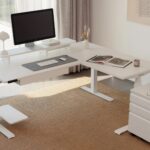
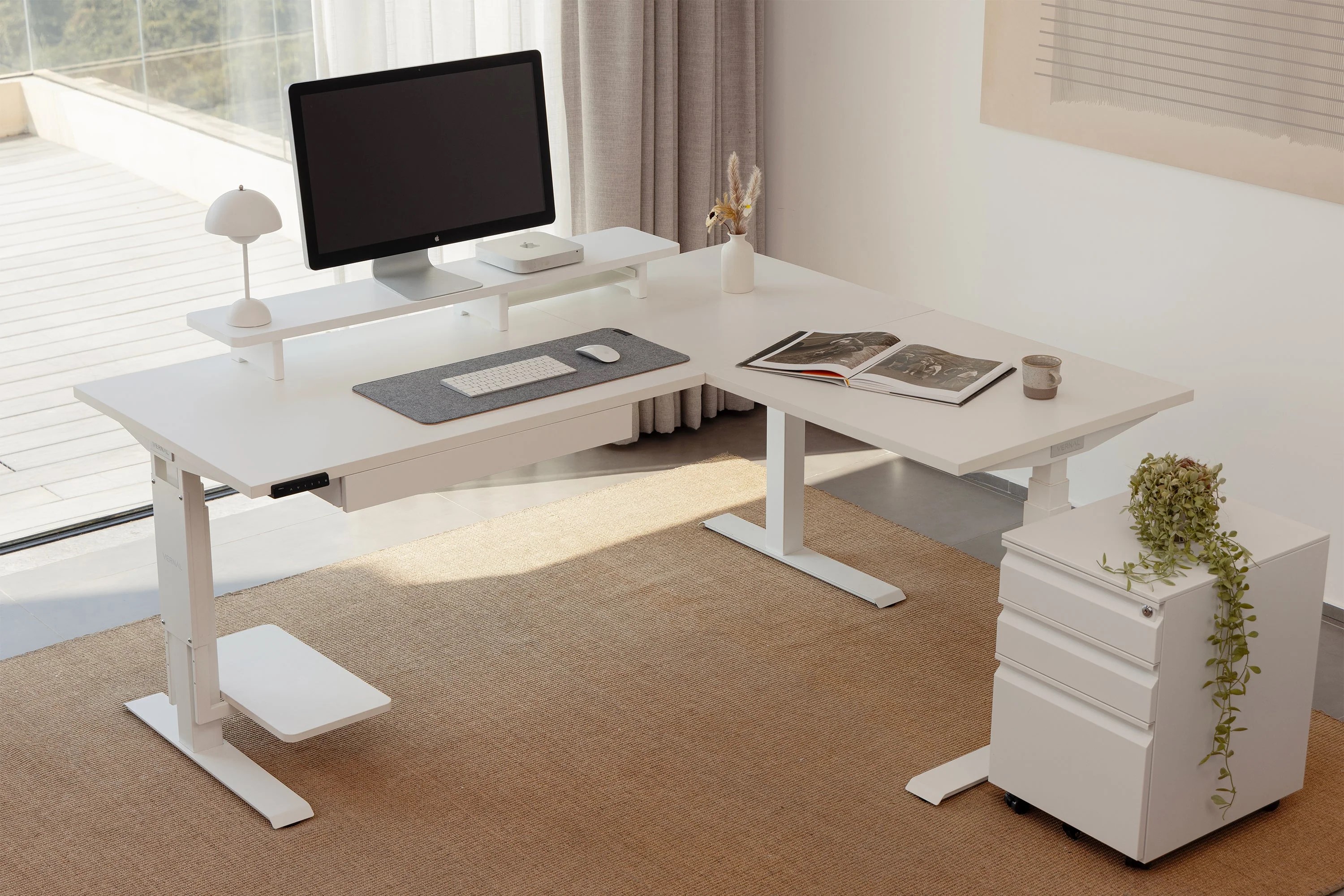
Workspace Organisation with an L Shaped Standing Desk
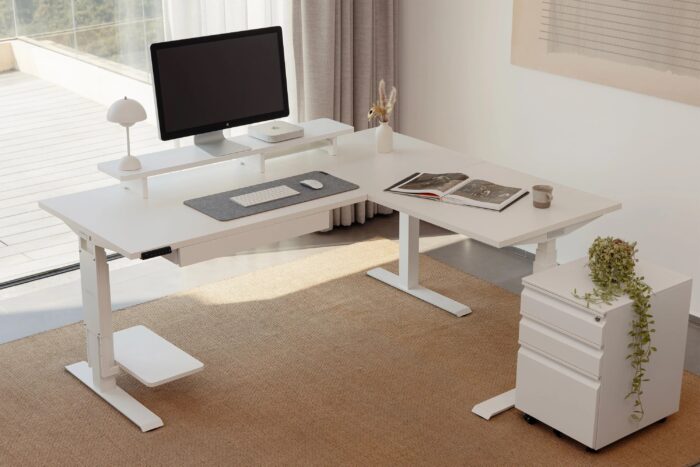
An L-shaped configuration provides an opportunity to organise different activities into separate working zones. One section can accommodate computer equipment, while the other offers additional room for documents, writing or creative projects. This arrangement can be particularly practical for professionals who regularly switch between several responsibilities.
Before choosing this design, measure the available floor space and check the direction of the return section. Consider nearby cupboards, doors and chair movement. It is equally important to ensure that monitors, accessories and other equipment remain comfortably positioned when the desktop changes height.
Professional Design Considerations for an Executive Standing Desk
A professional office often requires a workstation that combines generous surface space with an organised appearance. An executive-style design can accommodate multiple monitors, documents and presentation equipment while maintaining a polished environment. However, appearance should always complement practical functionality.
Consider desktop dimensions, storage arrangements and cable access when comparing different options. Drawers and additional storage can help keep important documents organised, but they should not restrict legroom or interfere with height adjustment. Choose a configuration that supports your workload without overcrowding the room.
Desktop Materials and Maintenance of a Wooden Standing Desk
The desktop material influences durability, appearance and maintenance requirements. A wooden surface introduces natural warmth into an office and can complement both traditional and contemporary interiors. Different finishes also provide opportunities to coordinate the workstation with existing furniture.
Compare construction quality, surface thickness and protective finishes before making a decision. Find out which cleaning methods are recommended and whether additional maintenance is necessary. Desk mats can help protect frequently used areas from scratches and everyday marks. Always check that the desktop is compatible with the selected lifting frame.
What to Check When Exploring a Vernal Standing Desk
When researching workspace solutions from Vernal, examine the individual product specifications rather than assuming that every configuration offers identical features. Important details include desktop dimensions, adjustment range, lifting capacity, motor system and available control functions. These specifications help establish whether a particular model matches your equipment and working requirements.
Also review assembly instructions, warranty coverage, delivery arrangements and customer support information. Check whether accessories such as monitor arms, cable trays and storage attachments are included or available separately. Understanding the complete configuration makes it easier to compare prices and avoid unexpected purchasing costs.
Choosing Features That Deliver Long-Term Value
The best workstation is not necessarily the one with the greatest number of additional features. A stable frame, appropriate height range, convenient controls and durable desktop should form your priorities. Features such as programmable settings, safety protection and cable management can provide further advantages when they address genuine everyday requirements.
Before ordering, measure your office, review product specifications and consider how your working habits may change over time. A carefully selected workstation can improve organisation, support different activities and create a more adaptable professional environment. By focusing on construction, usability and practical details, you can make a confident investment in your office furniture.